
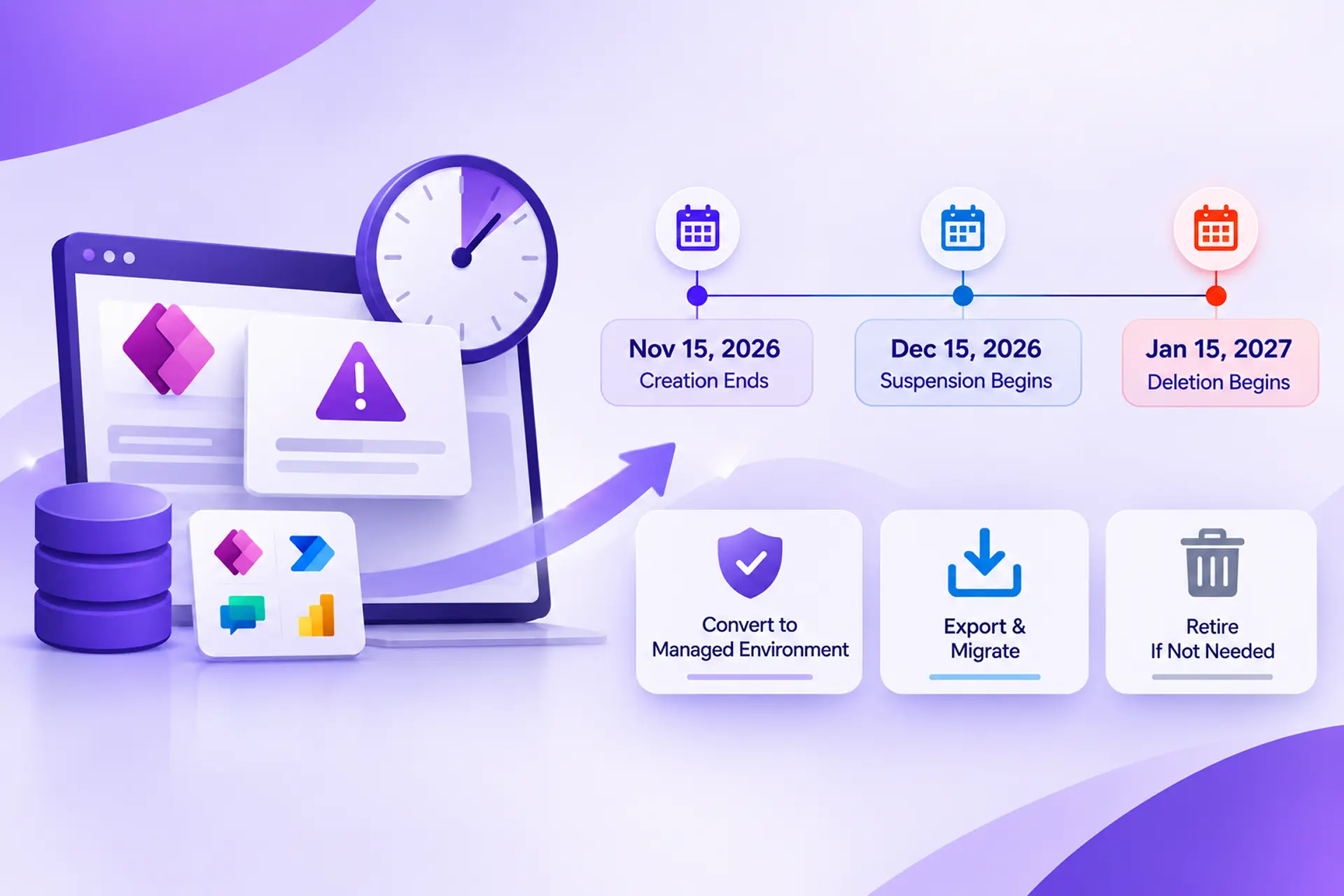
Microsoft is deprecating unmanaged developer environments in Power Platform, including those automatically created through the free Power Apps Developer Plan. With suspension now less than a month away, this article explains which environments are affected, the key milestones in the timeline, and your three options for protecting existing work: converting to a managed environment, migrating solutions elsewhere, or retiring environments you no longer need.
Developer environments are not disappearing; going forward, they will operate exclusively as managed environments. The real concern is for organizations and makers whose existing unmanaged developer environments contain apps, flows, agents, Power Pages sites, or Dataverse data.
The Three Critical Dates You Cannot Ignore
The deprecation happens in three phases. Note that losing access to an environment and having it permanently deleted are two different events.
| Phase | Date | What Happens |
|---|---|---|
| Creation Ends | November 15, 2026 | New unmanaged developer environments can no longer be created. Signing up for the Power Apps Developer Plan no longer provisions one. |
| Suspension Begins | December 15, 2026 | Existing unmanaged developer environments start getting suspended. Their applications, flows, agents, Power Pages developer sites, and data become unavailable. |
| Deletion Begins | January 15, 2027 | Microsoft starts deleting suspended unmanaged developer environments. |
Key takeaways:
- November 15 has passed: new unmanaged developer environments can no longer be provisioned.
- December 15 is the critical action deadline: convert environments you need to keep, or move their solutions elsewhere, before suspension begins.
- January 15 is not an extension: it is when deletion begins, not a date until which work can continue normally.
Which Environments Are Actually Affected?
Only unmanaged developer environments are targeted. Knowing the scope helps administrators avoid unnecessary changes to environments that will keep operating normally.
| Environment Type | Affected? | Details |
|---|---|---|
| Unmanaged Developer | Yes | Suspended starting December 15, 2026, with deletion starting January 15, 2027. |
| Managed Developer | No | Existing managed developer environments remain unaffected. |
| Production | No | Existing production environments are outside this deprecation. |
| Sandbox | No | Existing sandbox environments are not affected. |
| Trial | No | Standard trial environments remain available. |
| Default | No | The default environment is not included in this change. |
| Environment Routing Developer Environments | No | These are managed by default and are therefore unaffected. |
Two additional points: the developer environment type will continue to exist, but only as a managed developer environment, and each user can now create only one. Existing managed developer environments will not be changed, even when a user already has more than one, so they do not need to be migrated.
Your Options: Convert, Migrate, or Retire
Option 1: Convert the Existing Environment to a Managed Environment
Microsoft’s recommended approach when you want to keep the environment and have the right licensing. Administrators can enable Managed Environments on an existing developer environment in the Power Platform admin center:
- 1. Sign in to the Power Platform admin center (https://admin.powerplatform.microsoft.com/) and go to Manage > Environments.
- 2. Locate the developer environment to retain.
- 3. From its three-dot menu, choose Enable Managed Environments, then configure the settings and enable the feature.
The environment keeps its apps, flows, agents, and data, and remains a developer environment.
Licensing consideration: the Power Apps Developer Plan does not include Managed Environments use rights. Users need an appropriate premium license, such as standalone Power Apps, Power Automate, Microsoft Copilot Studio, Power Pages, or Dynamics 365, to run apps and flows in a managed developer environment. See Microsoft’s licensing documentation: https://learn.microsoft.com/en-us/power-platform/admin/managed-environment-licensing
Option 2: Export Solutions and Move Them to Another Environment
Organizations without Managed Environments licensing can export solutions from the unmanaged developer environment and import them into another supported environment, such as a sandbox. A typical migration includes:
- Identifying the apps, flows, tables, and other components to retain, and exporting them before suspension.
- Importing solutions into the destination and configuring connection references and environment variables.
- Reviewing dependencies, custom connectors, and security roles, then testing apps and flows.
Note: a solution export is not a complete environment backup. Dataverse records, files, credentials, and other environment-specific configuration may need separate migration. See Microsoft’s Solutions overview (https://learn.microsoft.com/en-us/power-apps/maker/data-platform/solutions-overview) and Export solutions documentation (https://learn.microsoft.com/en-us/power-apps/maker/data-platform/export-solutions).
Option 3: Retire Environments That Are No Longer Required
Many organizations have accumulated environments for experiments, temporary projects, or proofs of concept. Administrators should identify these, confirm with owners that nothing needs preserving, and let the deprecation proceed—an opportunity to clean up unused resources.
FAQ: Unmanaged Developer Environment Deprecation
Is Microsoft discontinuing the Power Apps Developer Plan?
No. The announcement covers unmanaged developer environments. However, since November 15, 2026, signing up for the Developer Plan no longer creates a developer environment. The plan remains a free offering for development and testing, but it does not include Managed Environments use rights. Developers should ask their administrators about a managed developer environment or another supported environment.
Will all developer environments be deleted?
No. Only unmanaged developer environments are affected. Existing managed developer environments, including those created through Environment Routing, are not.
Do I need a premium license just to create applications in a managed developer environment?
No. A premium license is not required to create or preview an app or flow in a managed developer environment, but users need one to run them.
Can I retain my Power Pages developer site by exporting its solution?
Microsoft specifically recommends converting the environment to a managed environment before December 15, 2026. Power Pages sites in unmanaged developer environments are suspended and deleted along with their environments.
What happens if I do nothing?
The environment will be suspended starting December 15, 2026, making its apps, flows, agents, Power Pages sites, and data unavailable. Deletion begins January 15, 2027.