
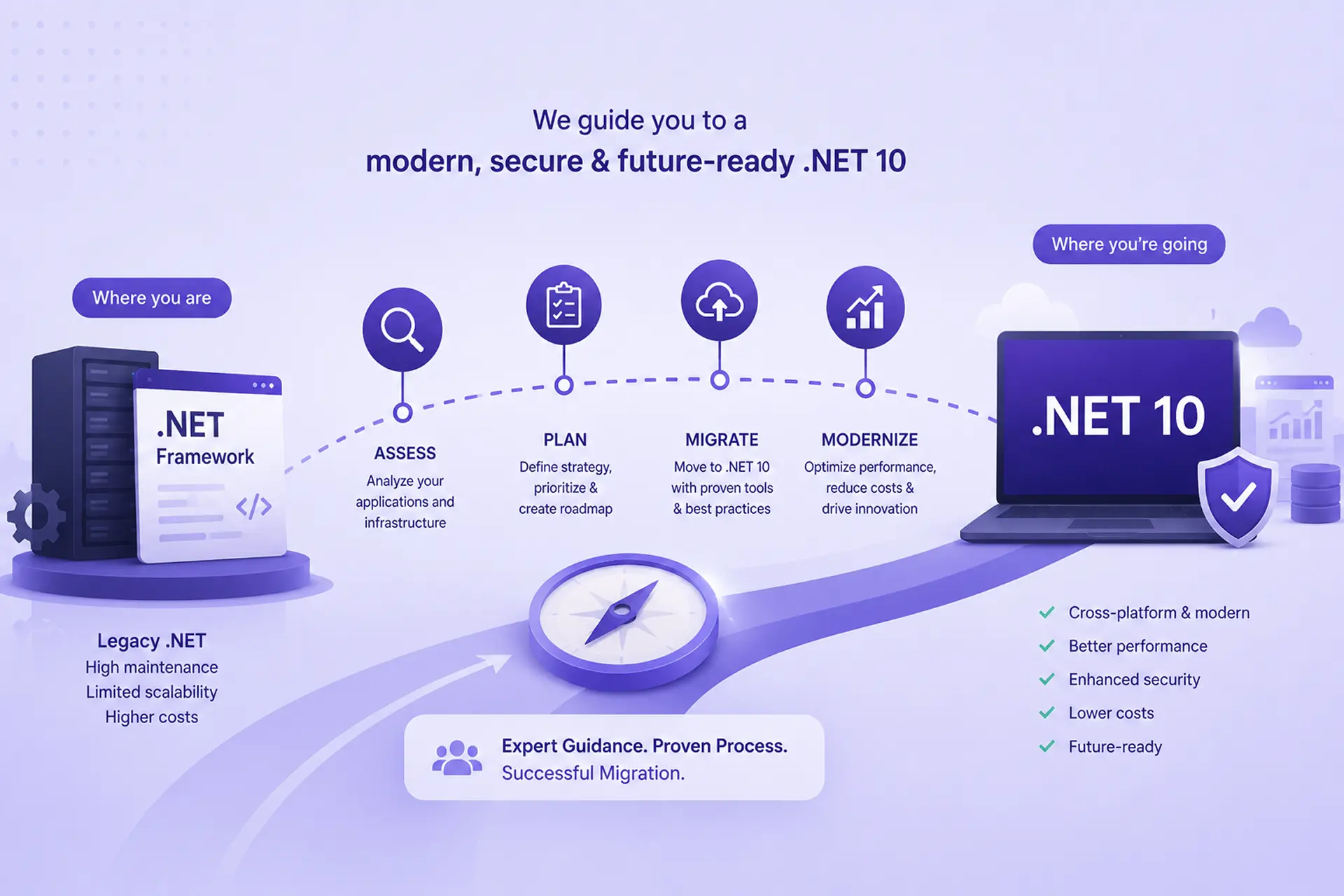
If your company runs apps on .NET Framework, .NET 8, or .NET 9, moving everything to .NET 10 is your best bet because it is safely supported until November 2028. However, keep in mind that you are dealing with two completely different deadlines. Applications running on .NET 8 and 9 face a firm deadline, with official support terminating on November 10, 2026. Older .NET Framework apps, on the other hand, do not have a strict deadline because they are supported for as long as the Windows operating system they run on.
Even though the deadlines differ, both types of apps absolutely need to be upgraded. The trap is that they need upgrading for very different reasons. If you lump them together, it becomes confusing to explain to management why the project is necessary and which parts are urgent. This guide breaks down how to update both systems and exactly where your strategy needs to split.
The Strategic Business Case for .NET 10 in 2026
Modernization has to be justified by ROI, risk mitigation, and total cost of ownership, not urgency alone. And here it matters to be precise about which urgency applies to which part of your portfolio.
Two Different Clocks, Not One
Microsoft recently confirmed that both .NET 8 (LTS) and .NET 9 (STS) reach their hard end of support on November 10, 2026. After this date, these versions will receive zero security patches, creating immediate compliance risks.
.NET Framework, however, follows the Windows OS lifecycle and has no fixed expiration date. If your estate is genuinely still on .NET Framework, November 10, 2026, isn’t your security deadline, but the case for moving is still strong due to Windows-only lock-in, rising server licensing costs, and a shrinking talent pool.
The .NET 10 LTS Window
As the primary Long-Term Support (LTS) release, .NET 10 ensures continuous stability and security updates until November 14, 2028. Moving directly to .NET 10 gives enterprises a full three-year runway to stabilize, innovate, and avoid the continuous “version hopscotch” of short-term releases. (Note: Ignore .NET 11, as a Short-Term Support release, it provides no additional support window beyond .NET 10 LTS.)
Quantifying the ROI: Cloud Infrastructure Savings and Native AOT
Transitioning to .NET 10 is more than checking a box; it completely reshapes your cloud costs. By shifting from Windows-only infrastructure to a modern runtime, enterprises consistently report:
- 30% to 50% performance improvements, lowering CPU and memory consumption, which directly translates to reduced Azure or AWS hosting costs.
- Up to 80% faster application startup times via Native AOT (Ahead-of-Time) compilation for eligible workloads, massively improving auto-scaling efficiency in cloud-native environments.
- Advanced Data Features: Entity Framework Core 10 introduces highly anticipated enterprise features, including native vector search for AI integrations and native JSON type support.
Why Target .NET 10 and Where .NET 11 Fits
| Feature / Metric | .NET Framework 4.8 | .NET 8 LTS | .NET 10 LTS | .NET 11 STS |
|---|---|---|---|---|
| End of Support | Tied to Windows OS lifecycle (no fixed date) | November 10, 2026 | November 2028 | November 2028 (expected) |
| Strategic Focus | Maintenance only; no new features | Immediate stabilization for legacy migrations | Long-term, AI-ready infrastructure | Latest features, shorter support window |
| Platform | Windows-only | Cross-platform | Cross-platform | Cross-platform |
| Tooling | Visual Studio (any recent version) | Visual Studio 2022 or 2026 | Visual Studio 2022 (17.14.16+) or 2026 | Visual Studio 2026 (preview support) |
| Production-Ready Today? | Yes, but frozen | Yes, but sunsetting | Yes | No, in preview through 2026 |
Assessing Your Legacy .NET Real Estate
Before touching any code, an effective migration demands a deep analysis of your current system architecture. Hidden dependencies discovered mid-migration are the single biggest cause of timeline blowouts.
Identifying Incompatible APIs: WCF, WebForms, and AppDomains
Classic .NET Framework relied on Windows-specific technologies with no direct equivalent in modern .NET. Catalog these explicitly during discovery:
- ASP.NET WebForms must be re-platformed to ASP.NET Core MVC, Razor Pages, or Blazor. There is no automated conversion path; this is a genuine rewrite of the UI layer.
- Windows Communication Foundation (WCF) SOAP-heavy services require a migration strategy, generally shifting to gRPC for fast internal communication, or RESTful APIs for external client access.
- AppDomains and .NET Remoting no modern equivalent exists. These require architectural redesign around process isolation using microservices or containers rather than a like-for-like port.
Evaluating Third-Party NuGet Dependencies
Legacy DLLs, COM/ActiveX components, and undocumented API calls are quiet killers of migration timelines. Run automated dependency analysis early. Any core package that hasn’t been updated for .NET Standard or modern .NET needs either a replacement or a budgeted custom wrapper, don’t discover this mid-sprint.
An Interim Option: Cloud-Hosted .NET Framework
For applications that genuinely can’t be re-platformed on any near-term timeline, Microsoft has been previewing managed Azure hosting options aimed specifically at running .NET Framework workloads in the cloud without a full code rewrite. This isn’t a substitute for modernization, but it’s a legitimate bridge, worth evaluating for the tail of your portfolio where a Strangler Fig approach (below) would take longer than the business can tolerate.
Migration Tooling in 2026: What Changed
This is worth its own section because the tooling landscape shifted meaningfully in late 2025, and most migration guides haven’t caught up.
The free .NET Upgrade Assistant is officially deprecated. Microsoft has replaced it with the GitHub Copilot app modernization agent, an AI-powered chat agent built into Visual Studio (2026, or 2022 build 17.14.16+) that analyzes a project, proposes a step-by-step upgrade plan, and applies automated code and dependency changes in a working branch you can review and roll back.
Two practical things your budget and QA process need to account for:
- 1. It’s not free. The Copilot modernization agent is gated to paid Copilot subscriptions (Pro, Pro+, Business, or Enterprise), this is now a licensing line item in your migration budget, not a free CLI tool. The legacy Upgrade Assistant is still technically available in Visual Studio 2026 but disabled by default, reachable via a hidden setting.
- 2. It needs real human review. Early community feedback on the new agent includes reports of it introducing NuGet package references that don’t actually exist. This is exactly why the “human-in-the-loop” governance model matters in practice, not just in principle: treat every automated change as a draft PR requiring the same scrutiny you’d give a junior engineer’s first pass at a legacy system, not a trusted mechanical transformation.
Used well, as an accelerant for the tedious first pass, with your senior engineers validating the output, this tooling genuinely speeds up discovery and boilerplate conversion. Used as a black box, it introduces exactly the kind of silent breakage a compliance-driven migration can’t afford.
Enterprise Migration Execution Strategies
How you migrate is as critical as what you migrate. We generally advise against strategies that require freezing feature development for extended periods, the business doesn’t stop needing new features just because the platform is being modernized.
Big Bang vs. Incremental Modernization
The “Big Bang” approach, rewriting the entire application and deploying it all at once, is highly discouraged for mission-critical enterprise systems due to the immense risk of failure. Instead, enterprises must adopt Incremental Modernization, treating the migration as a series of low-risk, high-value iterations.
The Strangler Fig Pattern
The Strangler Fig Pattern is the gold standard for enterprise migrations. This involves placing a reverse proxy (like YARP – Yet Another Reverse Proxy) in front of the legacy .NET application. As specific services or modules are rewritten in .NET 10, the proxy seamlessly routes that specific traffic to the new system, bypassing the legacy code. This guarantees high uptime, allows parallel testing, and ensures rollback capability.
Phasing the Rollout: From Class Libraries to API Controllers
A standard phased rollout typically follows this order:
- 1. Domain & Logic: Migrate independent class libraries and data access layers to .NET Standard 2.0 (which bridges .NET Framework and modern .NET).
- 2. Backend Systems: Transition background workers, APIs, and middleware.
- 3. Frontend/UI: Rebuild the user interface logic as the final step.
Overcoming the Top Migration Roadblocks
Modernizing WCF to gRPC
One of the most frequent enterprise roadblocks is WCF. Because SOAP/WS-* features in WCF do not directly translate to modern cross-platform equivalents, we recommend transitioning to gRPC for high-performance internal microservice communication, or standard REST/OpenAPI for external client integrations. For teams that strictly require WCF compatibility, the open-source CoreWCF project offers a transitional bridge.
Shifting to Cross-Platform, Cloud-Native Deployments
Legacy .NET Framework locks you into Windows Server and IIS. .NET 10 is fundamentally cross-platform. By migrating, you can shift hosting to lightweight Linux containers deployed on Kubernetes. This removes expensive Windows Server licensing from your infrastructure bill entirely and unlocks genuinely elastic auto-scaling.
FAQ: Legacy .NET to .NET 10
Does the November 2026 deadline apply to my .NET Framework applications?
No. The November 10, 2026 deadline is specifically for .NET 8 and .NET 9. .NET Framework’s support lifecycle follows the Windows OS it is installed on. However, the strategic case for modernizing .NET Framework, escaping Windows-only lock-in and high licensing costs, remains urgent.
How much does a legacy .NET modernization project typically cost?
Costs scale directly with application complexity and reliance on deprecated features (like WebForms or heavy WCF). Most enterprises achieve an ROI within 12-18 months post-migration purely through reduced cloud computing costs and consolidated licensing. A proper estimate requires a forensic dependency audit.
Can older .NET Framework applications run on modern Linux containers?
No. Applications must be fully ported to modern .NET (like .NET 10) to run natively on Linux containers. Until then, they are restricted to heavier, more expensive Windows-based environments.
Partner With Proven Modernization Experts
Enterprise modernization requires more than just running a code upgrade tool; it requires architectural foresight, risk mitigation, and a deep understanding of cloud economics.
If your organization is staring down the November 2026 End-of-Life deadlines, you don’t have to navigate it alone. Our expert engineering teams specialize in enterprise-grade legacy .NET migrations. We provide comprehensive architectural assessments, automated dependency tracking, and zero-downtime execution strategies tailored to your exact business needs.
Contact our consulting team today to schedule a comprehensive .NET migration assessment and secure your technical roadmap through 2028 and beyond.